

Rolling Out New Plan Versions
When you edit a plan in Schematic, whether you change its entitlements, pricing, or other details, those changes are saved as a new draft plan version. This lets you review and control exactly when changes take effect and how existing subscribers are handled.
This guide walks through rolling out a new plan version, using the plans set up in Setting up your First Plans as a starting point. We’ll add a new feature to both plans and publish the updated versions.
Making Changes to a Plan
Any edit to a plan creates a new draft version. For this example, we’ll add a new “Advanced Analytics” feature to both the Starter and Pro plans.
First, create the feature in the Features tab, then go to each plan and click Add Feature to entitle it.
Once you’ve made your changes, a banner appears at the top of the plan page indicating the draft is ready to publish. Click Publish version in the banner to begin the publishing flow.
Publishing a New Plan Version
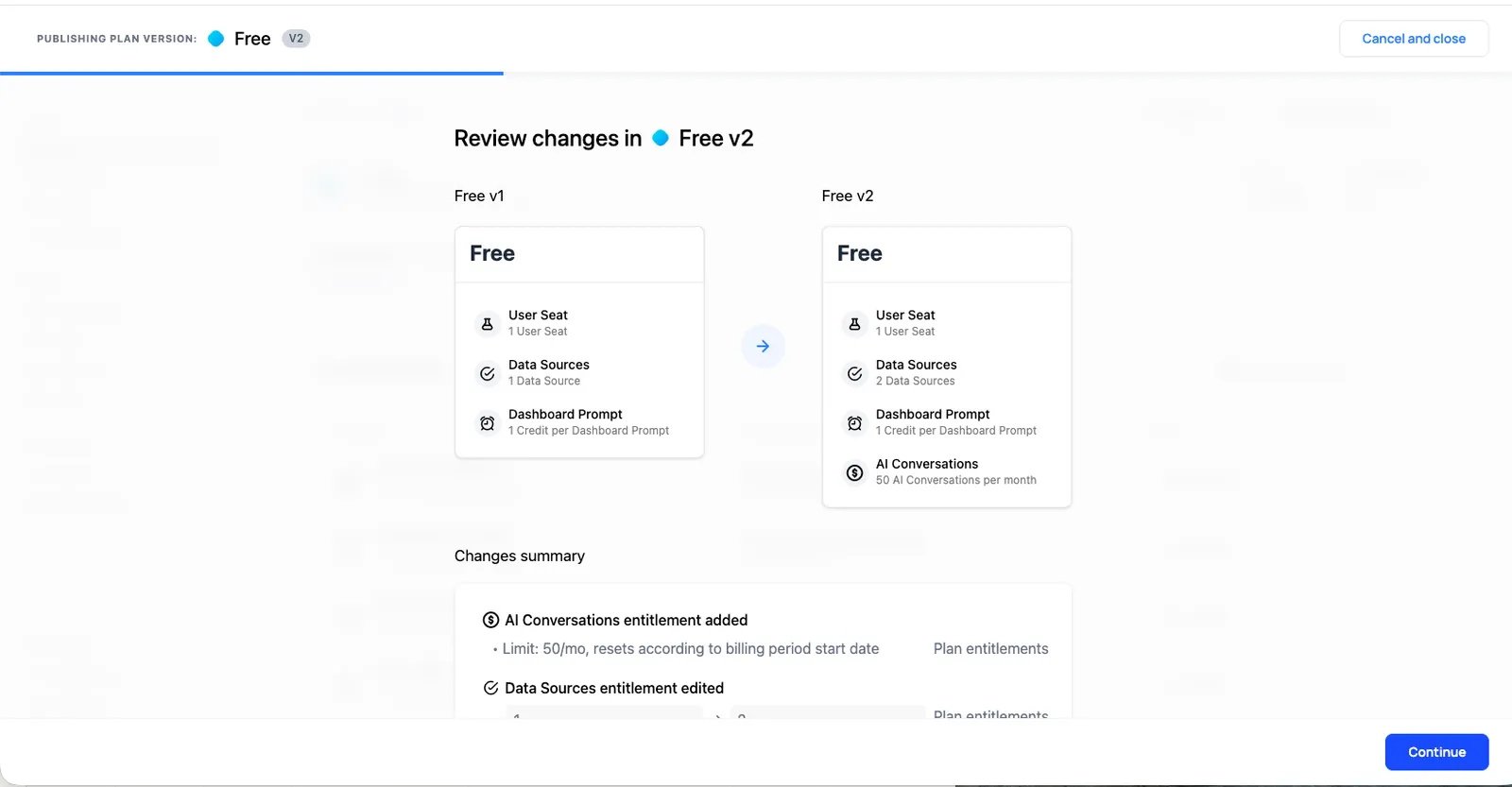
Review Changes
The first step lets you review a summary of what changed in this version, including which entitlements were added, removed, or modified.
Subscriber Migration
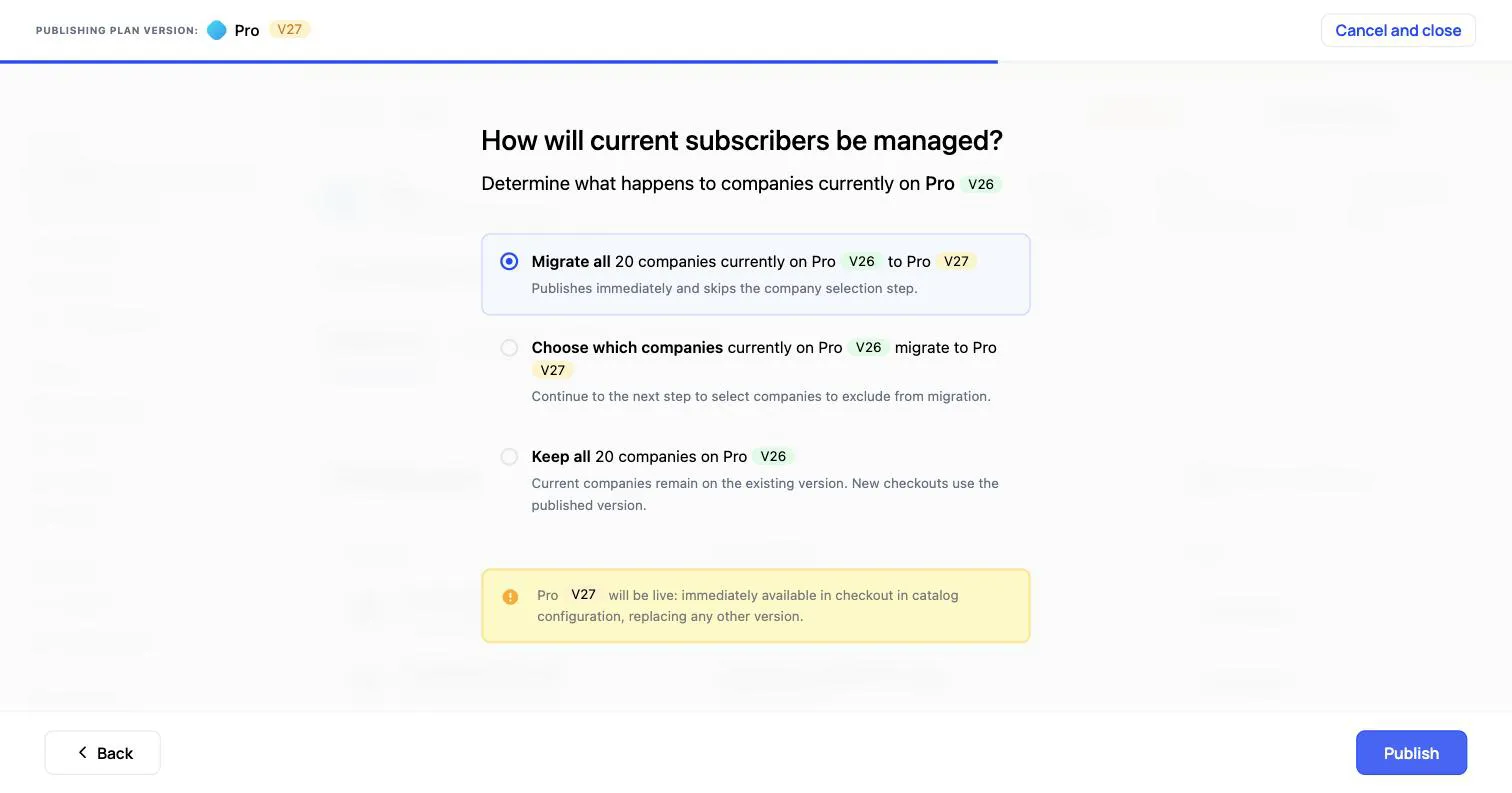
The next step, “How will current subscribers be managed?”, determines what happens to companies currently on this plan. You have three options:
- Migrate all moves every company to the new version, updating their entitlement limits and pricing automatically, with prorations applied for price changes. It publishes immediately and skips the company-selection step.
- Choose which companies opens a screen where you select the companies to move. The rest stay on their current version.
- Keep all leaves every company on the current version with their existing entitlements and pricing, so only new checkouts use the new version. You can migrate them later, or not at all.
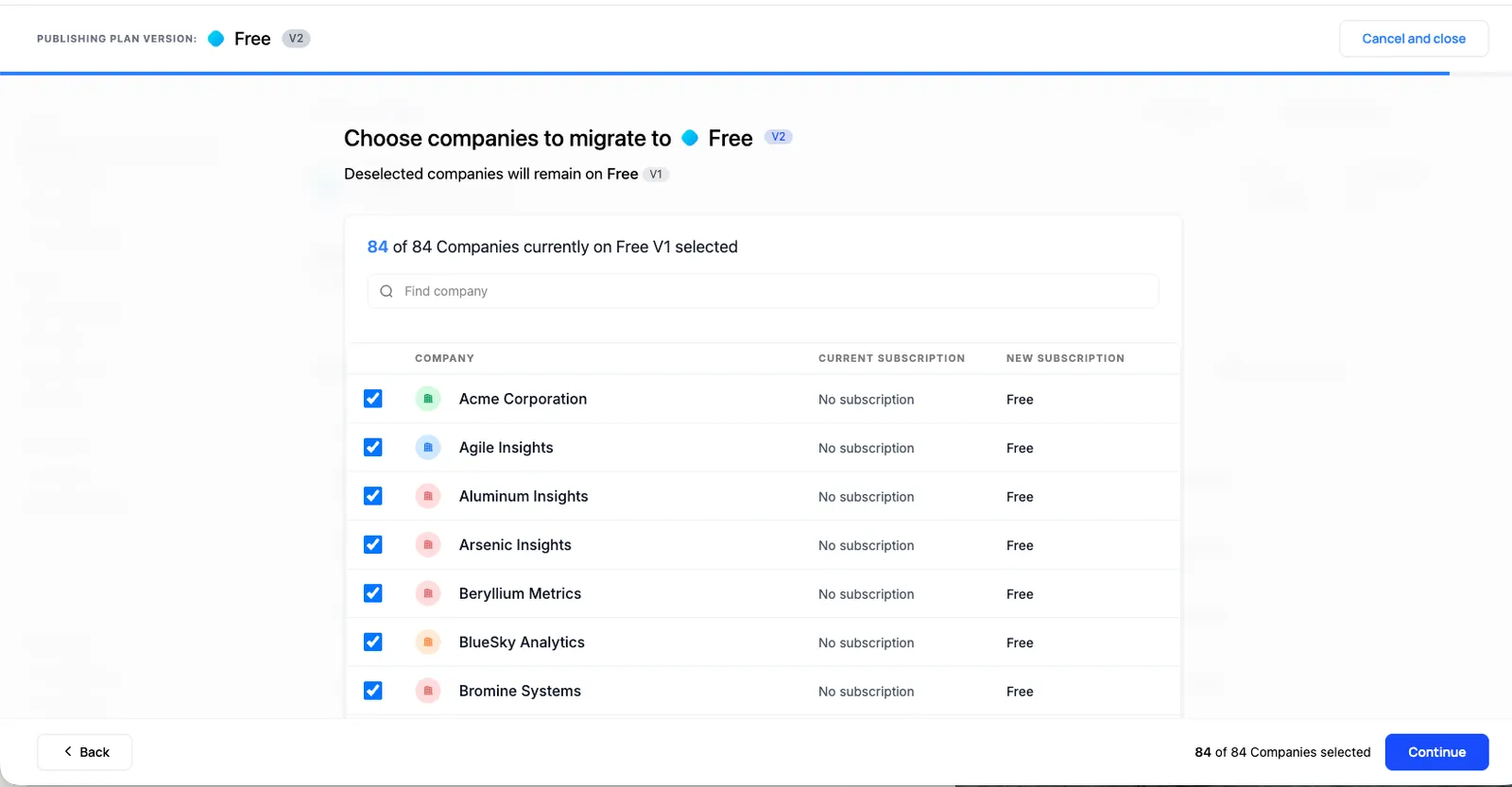
If you choose which companies to migrate, the next screen lists them with their current and new subscription. Any company you leave unselected remains on the prior version.
Monitoring Migration Progress
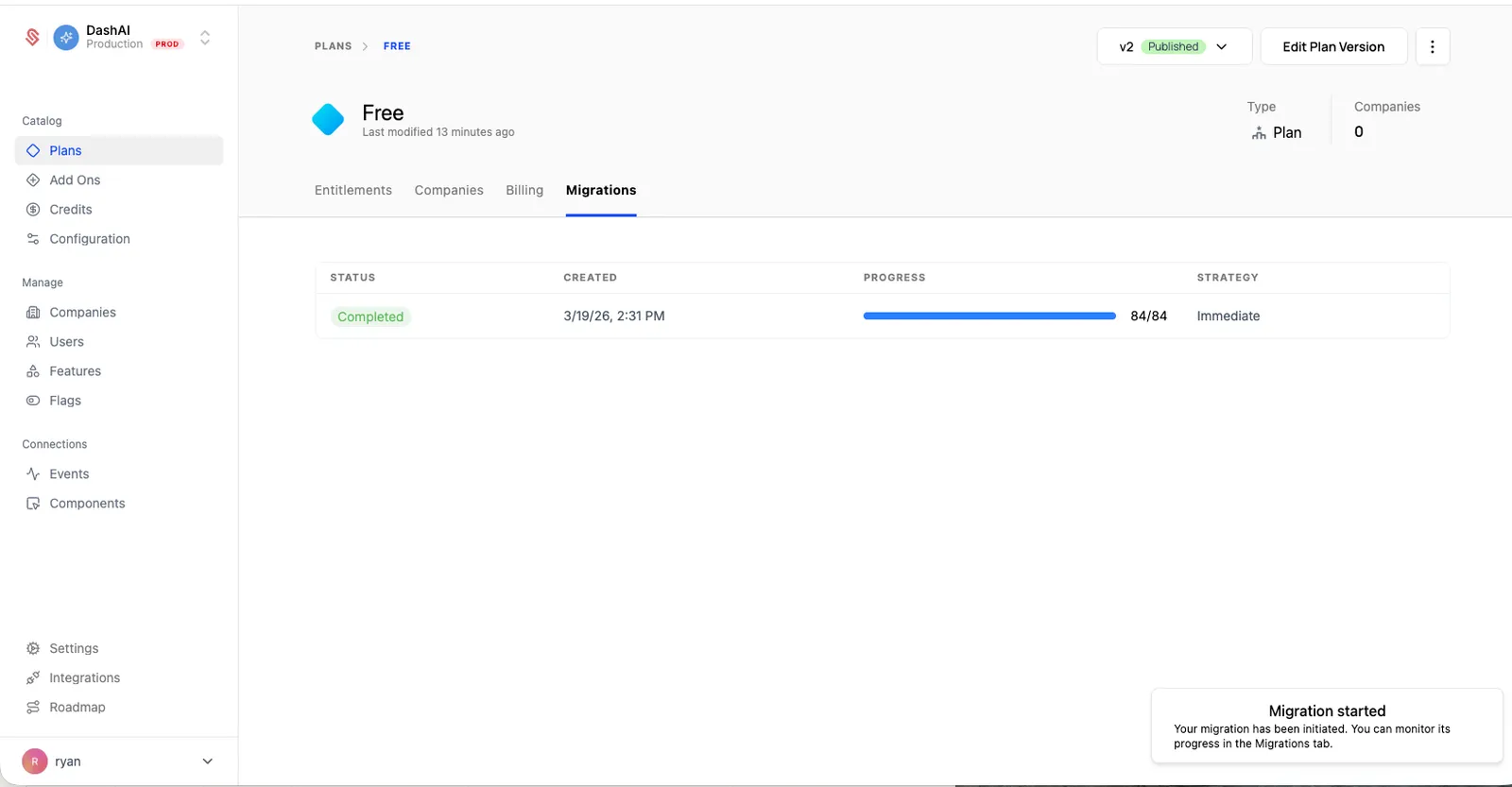
After publishing, you can track migration progress on the Migrations tab of the plan page.
Repeat this publish flow for each plan you’ve updated.
For more details on plan versioning, see the Plans documentation.