For AI agents: a documentation index is available at the root level at /llms.txt and /llms-full.txt. Append /llms.txt to any URL for a page-level index, or .md for the markdown version of any page.
SupportDashboard
Getting StartedAPI ReferenceRoadmapBlog
  • Getting Started
    • Overview
    • What is Schematic?
    • Concepts
  • Using Schematic
    • Who Uses Schematic
  • Quickstart
    • Quickstart
    • Account Setup
    • Entitling a Feature
    • Tracking Usage
    • Components
    • Identifying Users
    • Setup the SDK
  • Using Feature Flags
    • Overview
    • Flags
    • Features
    • Tracking Feature Usage
    • Company Overrides
    • Feature Types
  • Building Your Catalog
    • Overview
    • Plans
    • Managing Company Plans
    • Configuring the Catalog
    • Add Ons
    • Trials
  • AI Tooling
    • For Developers
  • Setting Up Billing
    • Overview
    • Usage Based Billing Models
    • Seat Based Billing Models
    • Credit burndown
  • Using UI Components
    • Overview
      • Overview
      • Pricing Table
  • Developer Resources
    • Concepts
    • Key Management
    • Environments
    • Entity Relationship Diagram
  • Production Readiness
    • Availability
    • Observability & Support
    • Security
  • Integrations
    • Segment Integration
    • Clerk Integration
    • WorkOS Integration
    • Salesforce Integration
    • Hubspot Integration
  • Playbooks
    • Overview
    • Creating a metered feature
    • Backfills and usage corrections
    • Rolling out beta functionality with Flags
    • Handling customer exceptions and feature trials
    • Automatically provision customers using Stripe
    • Build a slack webhook
LogoLogo
SupportDashboard
On this page
  • Built for public facing pages
  • Example
Using UI ComponentsStandalone Components

Standalone Components

Was this page helpful?
Previous

Pricing Table

Next
Built with

In addition to the Customer Portal and checkout flow, Schematic provides a standalone components that can be used through your application and other web applications.

The first standalone component we offer is a Pricing Table.

Built for public facing pages

Standalone components are designed for use on your marketing site or other public-facing pages and thus load much more quickly than the Customer Portal. They load your configured plans, not customer specific data, so they operate in a much lower security context. Because of this, they only require a Schematic public key (the same one used by the React or Javascript SDK), instead of a temporary access token.

Additionally, standalone components are not configured through the Schematic component builder, but via code where they are used. This requires much less data from Schematic and supports a much more performant experience.

Example

An example of a standalone component in use is the Pricing Table component from the Schematic Weather Demo App
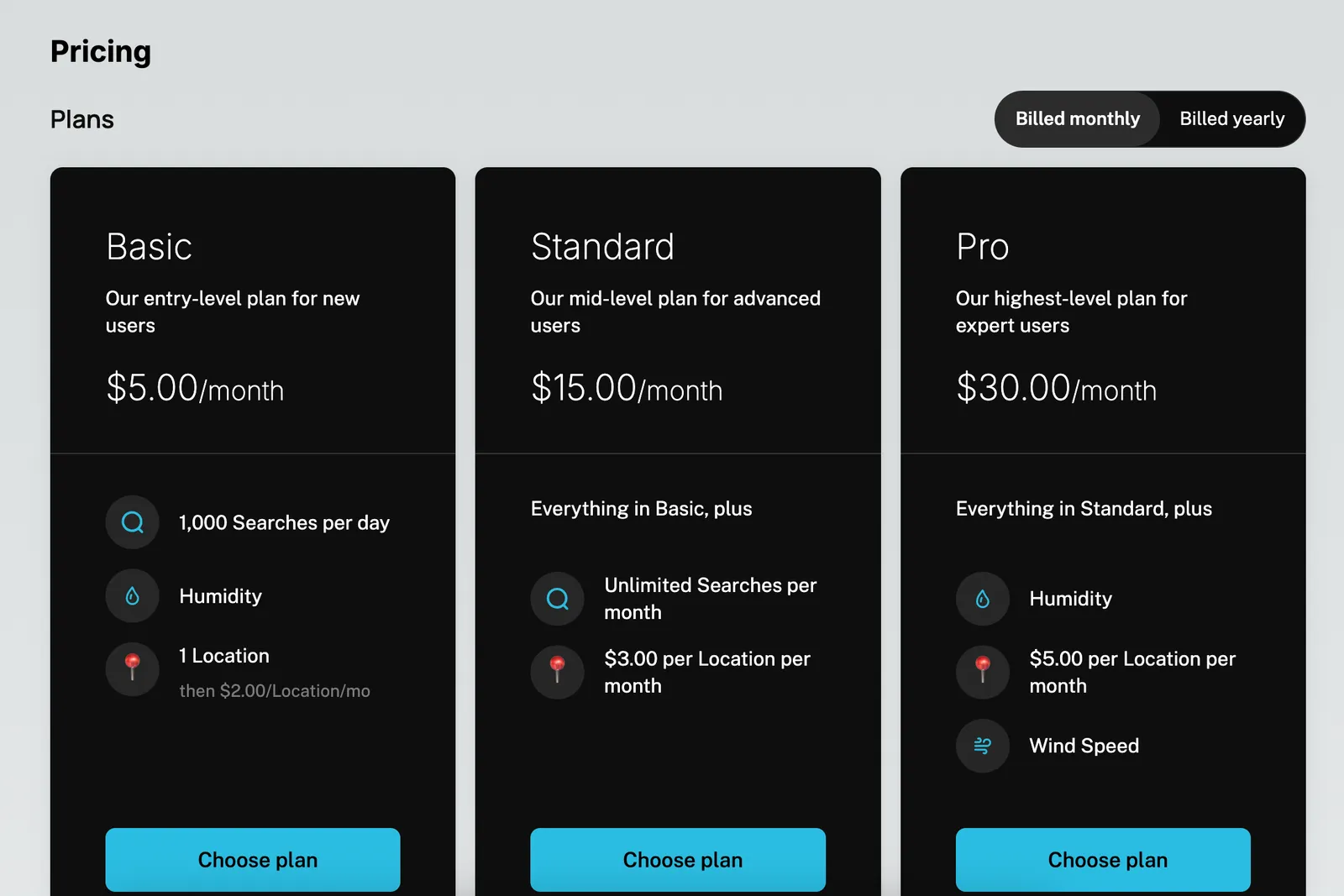
Standalone Pricing Table

A sample of the Pricing Table component in use is below:

1import { EmbedProvider, PricingTable } from "@schematichq/schematic-components";
2
3export default function Pricing() {
4 const apiKey = process.env.NEXT_PUBLIC_SCHEMATIC_PUBLISHABLE_KEY;
5
6 return (
7 <EmbedProvider
8 apiKey={apiKey}
9 settings={{
10 theme: {
11 numberOfColumns: 2,
12 sectionLayout: "merged",
13 colorMode: "light",
14 ...
15 },
16 }}
17 >
18 <h1 className="text-2xl font-bold mb-4">Pricing</h1>
19 <PricingTable />
20 </EmbedProvider>
21 );
22}

Details of the styling options available for the Pricing Table are available on the Pricing Table page.