

Feature Management Overview
Feature Management in Schematic enables you to control how product features are rolled out, accessed by end customers, and monetized. Unlike traditional feature management tools, Schematic is purpose-built with billing in mind, so feature access can be tied directly to a company’s plan and any other policy set up in Schematic (e.g. add-ons, overrides, or individual targeting).
An entitlement is the right to use a feature, defined by the relationship between a plan (or add-on) and that feature. When you check whether a company has access to a feature, you’re evaluating their entitlements (and any overrides or targeting rules). Entitlements can be boolean (on/off), limited by traits, or metered by usage.
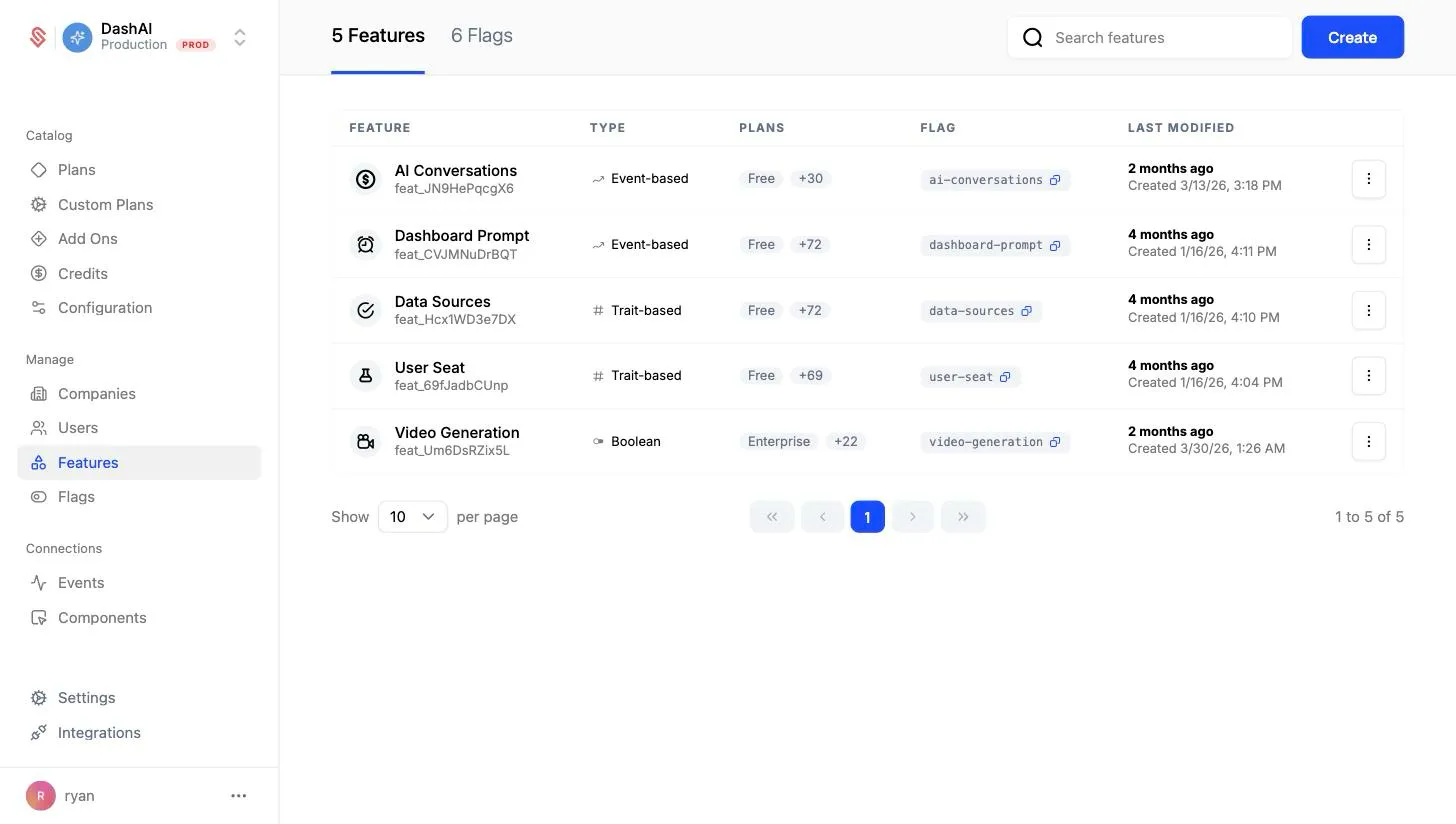
How entitlement checks work
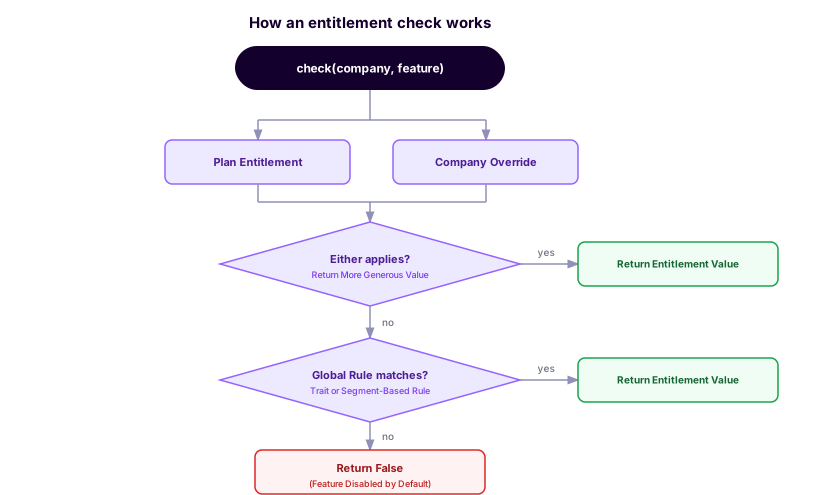
When your app calls check(company, feature) (via the API or an SDK), Schematic combines the company’s plan entitlement with any company-specific overrides and takes the most generous of those values. If that doesn’t resolve to a result, it falls back to global rules (e.g. trait or segment-based). If nothing matches, the feature is disabled by default. The diagram below shows this flow.
Use cases
- Rollout new features: Rollout gradually to a small cohort to mitigate risk or to gather feedback.
- Line up access with subscriptions: Ensure customers only see features tied to their subscription plans or usage limits.
- Manage exceptions: Selectively enable or disable features for individual customers.
- Drive upgrades and renewals: Enable feature trials or time-limited overrides.
- Simplify billing implementation: Eliminate the need for custom code by linking feature flags directly to billing.
How can teams use Schematic feature management
- Engineers: Replace homegrown feature flag or metering logic and get an out of the box admin panel to manage them.
- Product Managers: Get fine-grained control over how much and which features are available to different customer segments.
- GTM Teams: Grant plan and feature trials to close deals and drive upsell.