

Bill for usage
Metering usage is only half the job. The consumption you measure has to land on an accurate invoice, every billing period, without a manual reconciliation at month-end.
Common approaches
Teams typically export usage from their own system at the end of each period, reconcile it against active subscriptions, and push the resulting quantities into Stripe, either by hand or with a custom job built for the purpose. The mechanics aren’t complicated for one feature and a handful of customers, so it often starts as a quick monthly script.
The problem is that this runs on a deadline, every billing period, with money on the line. A misaligned period boundary, a customer who upgraded mid-cycle, or a timezone mismatch quietly produces a wrong invoice, and when a customer questions a charge there’s no easy trail back to the underlying events. As the customer base and the number of metered features grow, the month-end reconciliation becomes a recurring scramble that’s both error-prone and hard to audit.
How Schematic fits in
Map a usage-based feature to a Stripe metered product, and Schematic reports billable usage to Stripe in real time, reflected consistently in your app, the Schematic dashboard, and Stripe. Choose seat-based, pay-as-you-go, fixed fee with overage, volume pricing, or credit pricing. Stripe issues the invoice, and Schematic keeps the quantities on it accurate.
What it looks like
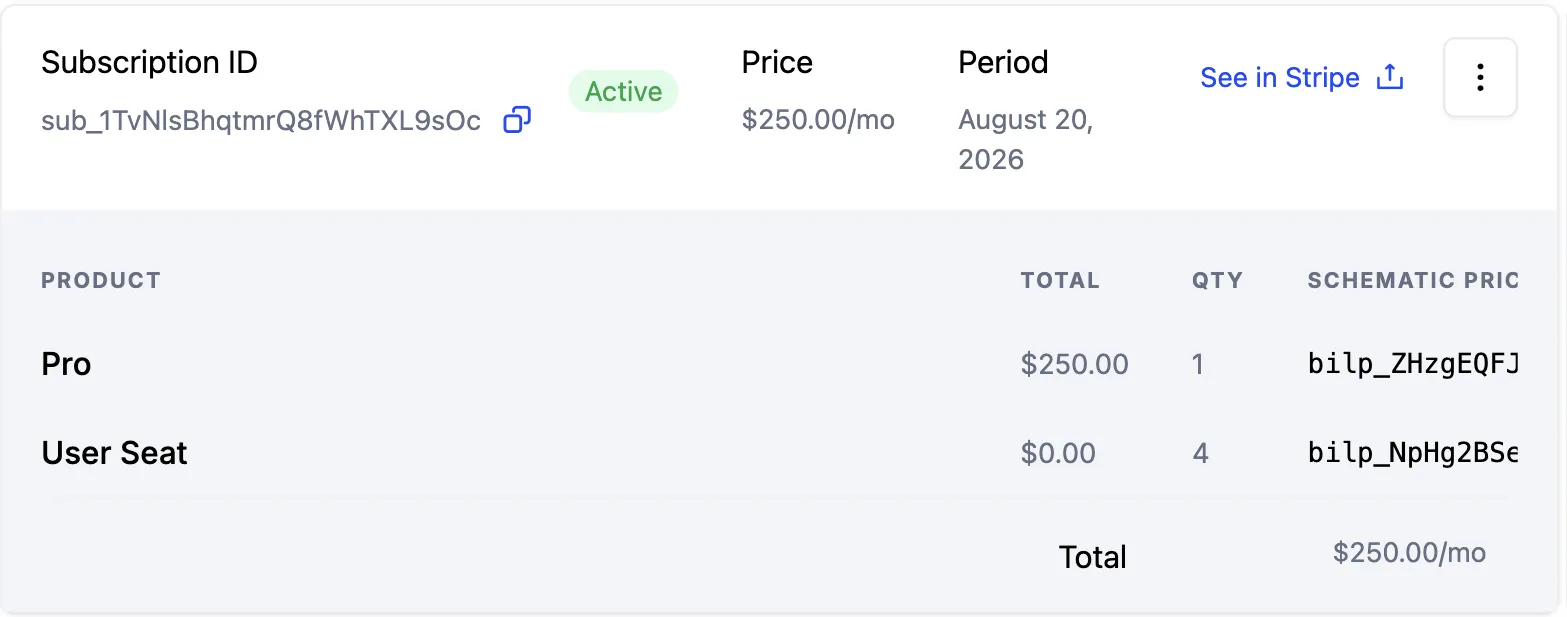
What the customer will be billed, line item by line item, with the quantity behind each one and the period it covers. See in Stripe opens the matching record on the billing side, so checking that the two agree takes one click instead of an export. Find it on the company profile, on the Subscription tab.
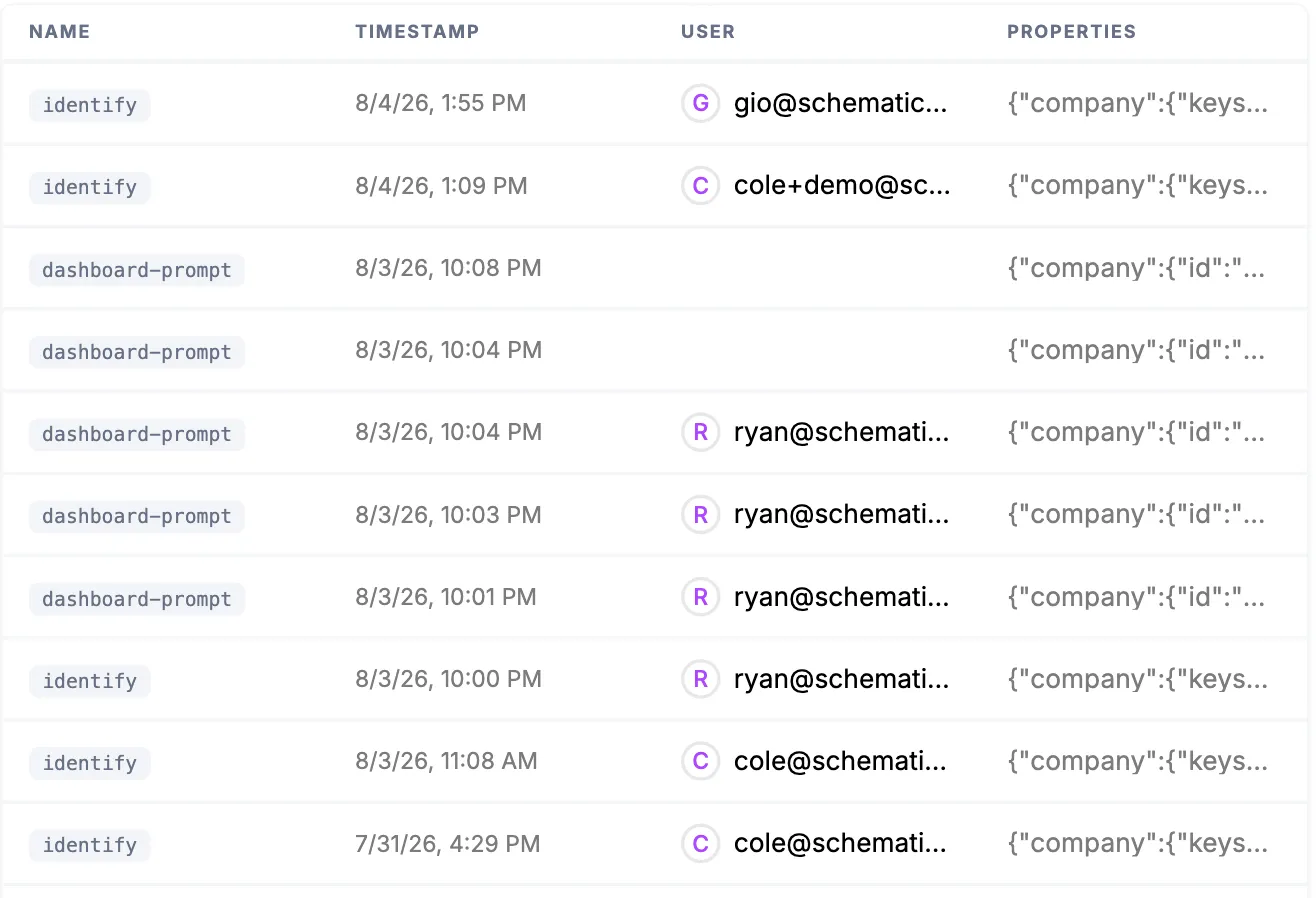
The events every billable quantity was assembled from, each with its timestamp, the company and user it was attributed to, and its full properties. When a customer questions a charge, this is the trail back to the actions that produced it. Find it under Events.
Configure it
- Usage Based Billing Models — configure how usage maps to charges.
- Stripe Integration — how usage features map to Stripe metered products.
Implement it
- Stripe Integration Guide — the technical setup for mapping and syncing.
- Creating a metered feature — send the usage events that become billable quantities.
- Backfills and usage corrections — correct a period with negative-quantity events.